Get everything for 0 USDT
with your Bybit UID
Let’s check that you’re my referral
Enter your exchange account number (UID)
UID is your exchange account number, digits only.
Which exchange is this account on?
Register using my link on any of the exchanges — otherwise the exchange won’t count you as my referral. After registering, fund your account, come back here and enter your UID.
Do you already have a Bybit account?
Why is it free? When you trade on the exchange, you pay a fee. If you're my referral, the exchange gives me back part of the fee you spent.
In other words, you pay nothing extra. Your costs stay the same. But in return you get plenty of extra options that I, as a developer and trader, can offer you.
Access status
Free access
Register your account correctly
You need an account created via my link. After registering, just come back here and enter your UID — I'll grant access.
Q&A
Couldn't transfer the account
Unfortunately, this happens if you've long been someone else's referral. But there's a way out of this situation too.
- Register a new account via the referral link: https://partner.bybit.com/b/PIFAGOR
- Next, log into your old (verified) account, go to your profile, and tap Identity Transfer.
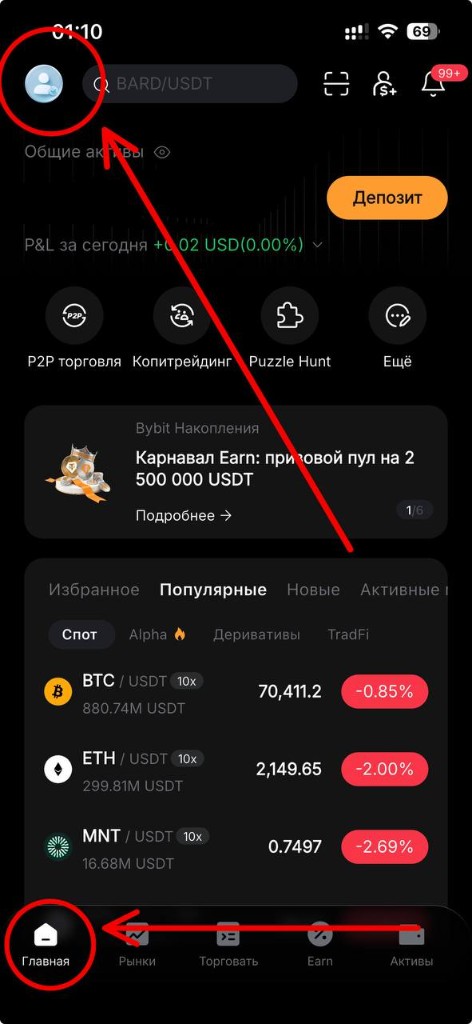
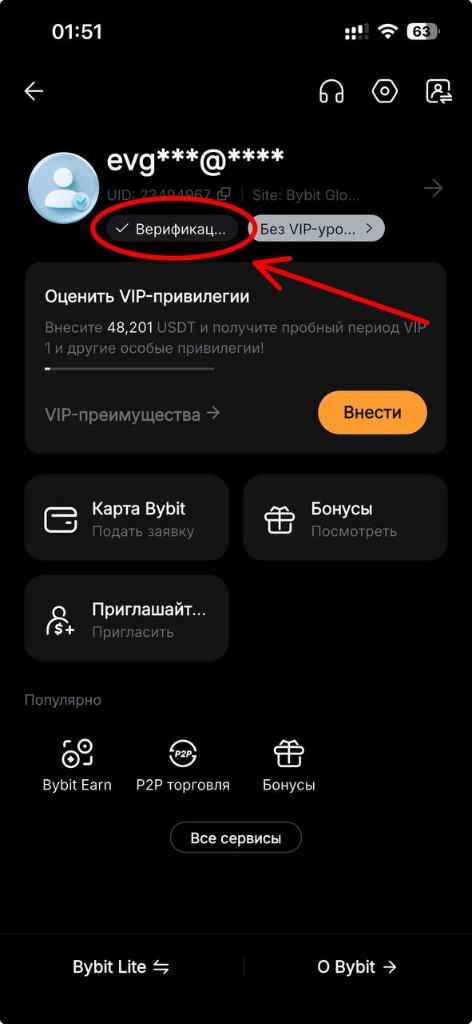
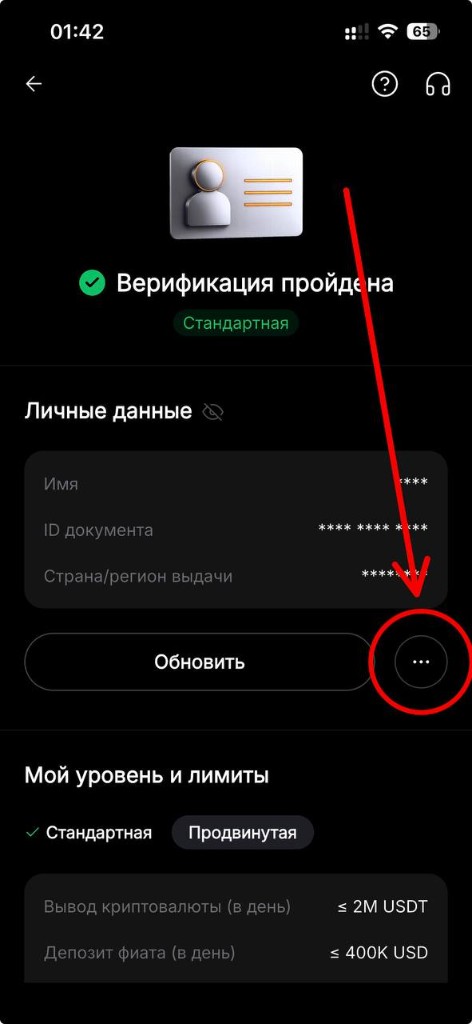
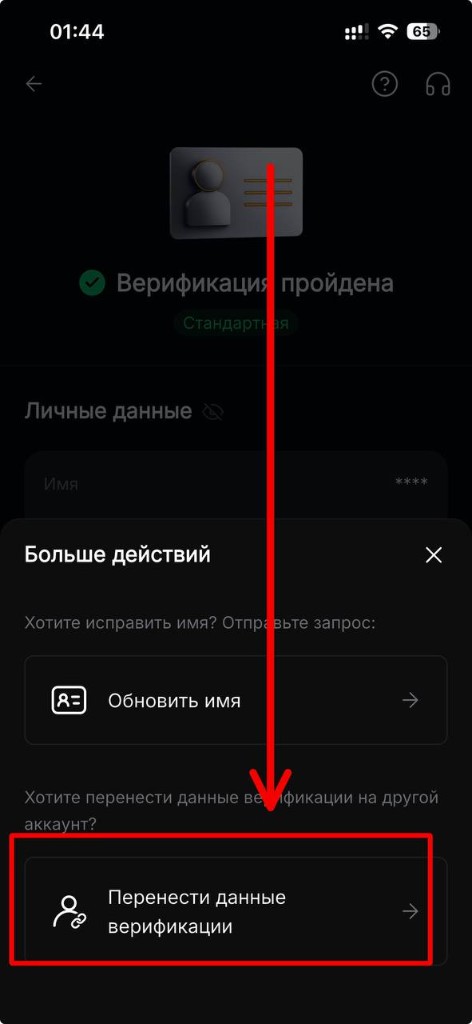
Before transferring verification, make sure your trades are closed and your funds are temporarily moved to another (equally secure) wallet, to avoid having to resolve any mishaps through support.
Read full details about possible nuances of account transfer here.
What is a UID and where do I find it?
UID (User ID) is the unique numeric identifier of your Bybit account.
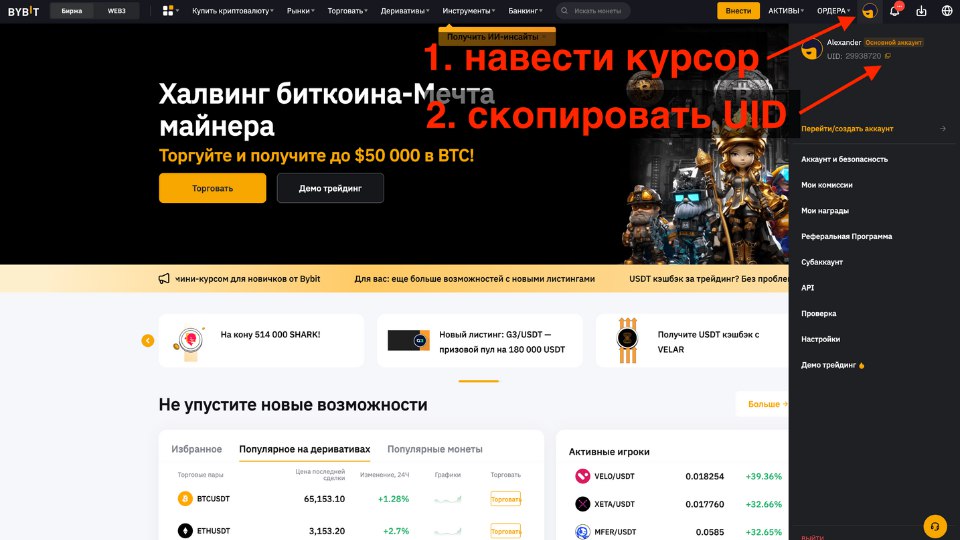
Web version
Hover over your avatar in the top-right corner → copy the UID from the dropdown menu.
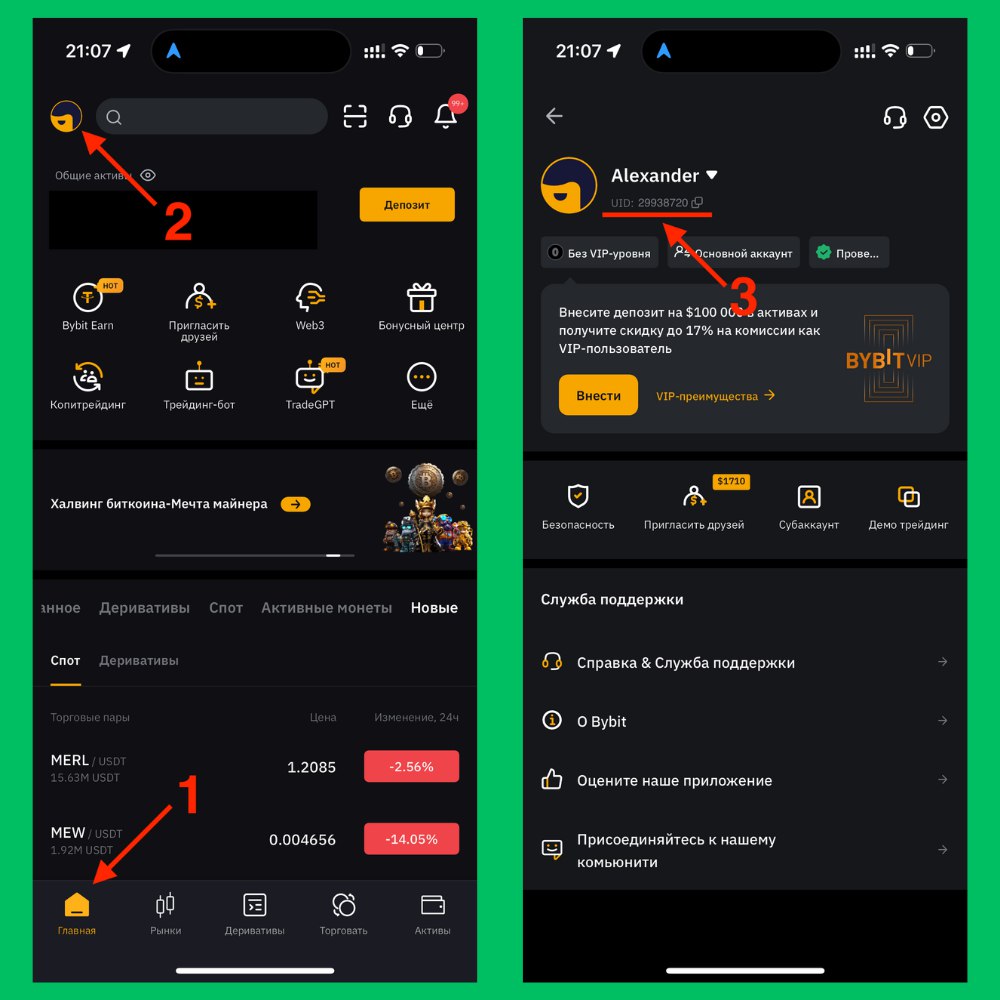
Mobile app
Home → profile icon in the top-left corner → UID below your name with a copy icon.
The bot doesn't see that I'm a referral
Our referral code PIFAGOR may have been lost during registration.
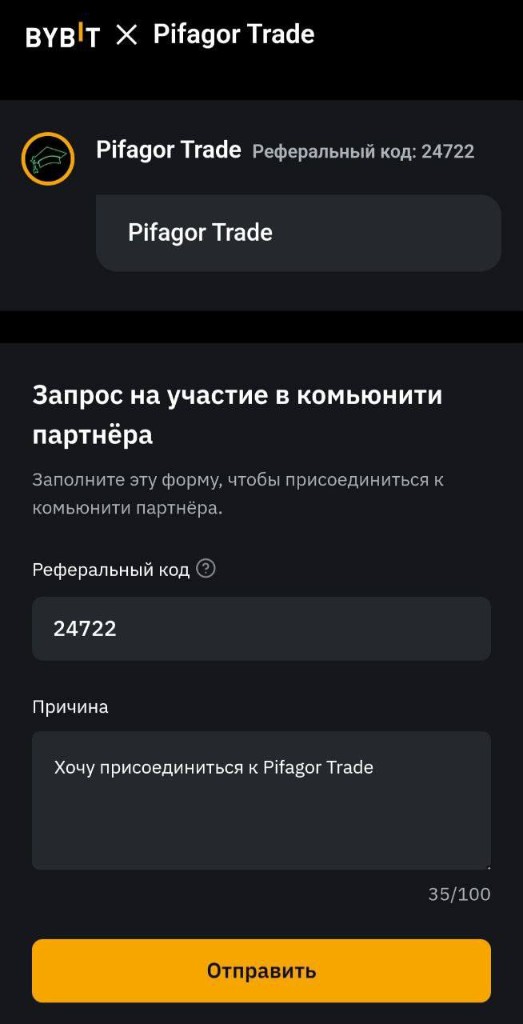
Tap your avatar in Bybit and check whether your account shows information about joining us. If not, contact Bybit support.
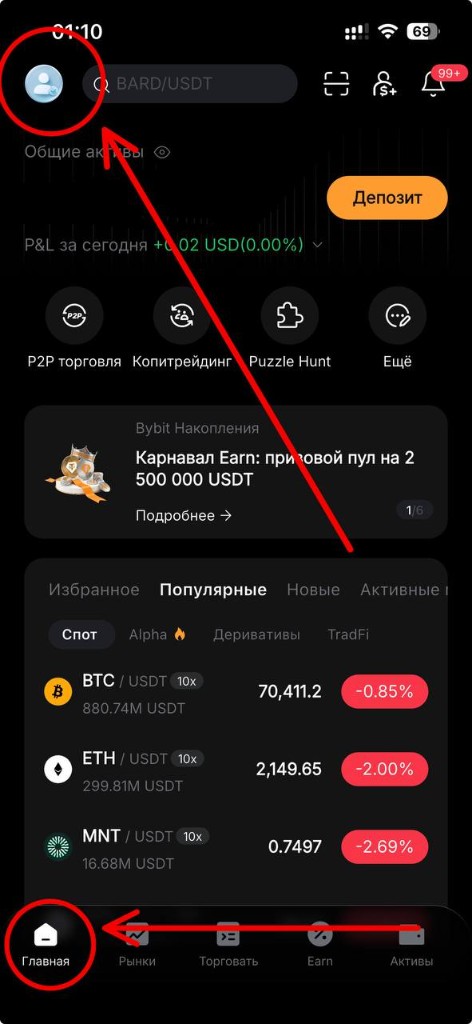
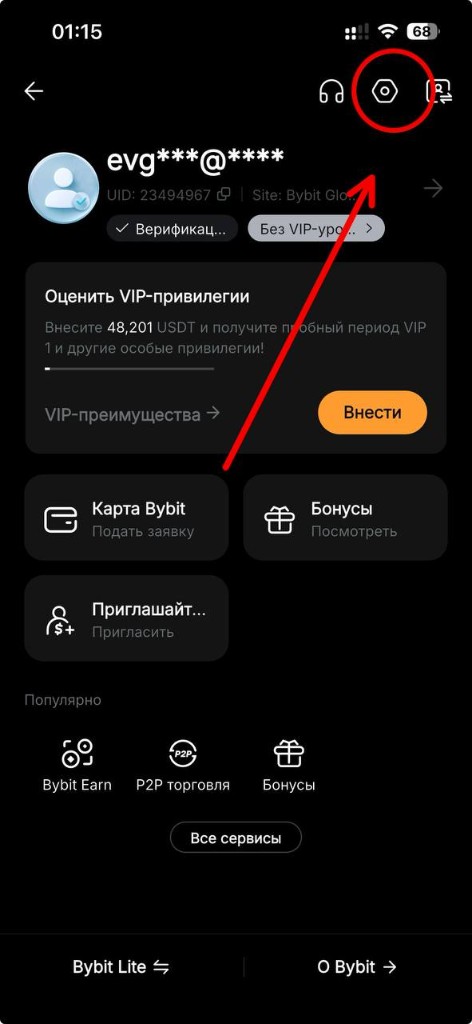
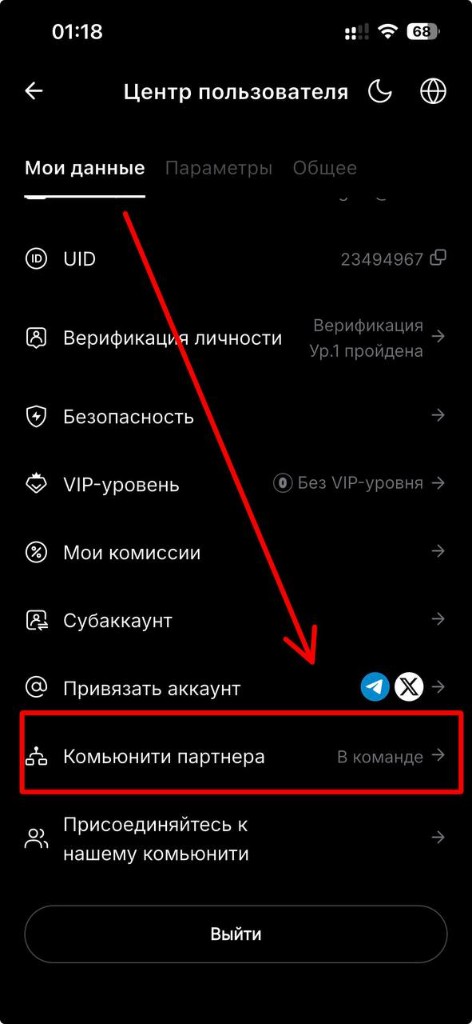
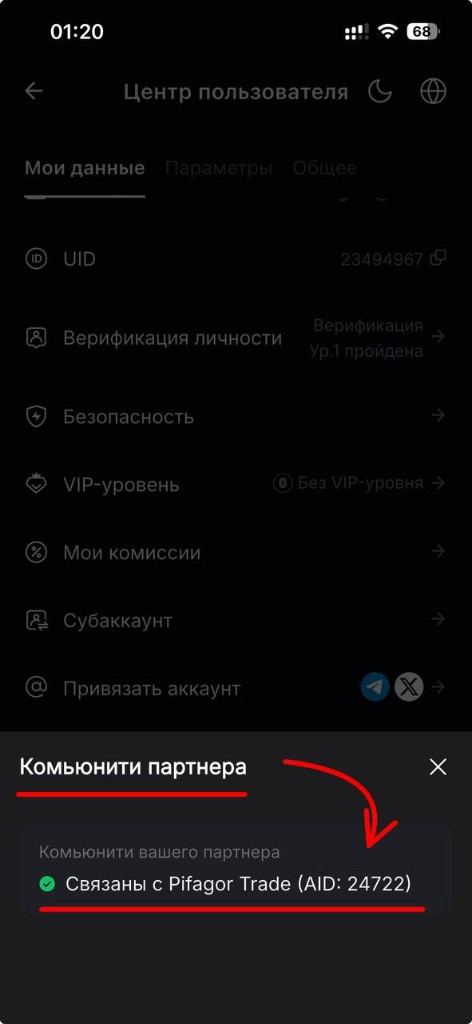
If you've only just become our referral, try sending the request through the bot a few hours later, after restarting the bot first.
I don't know how to add the partner code
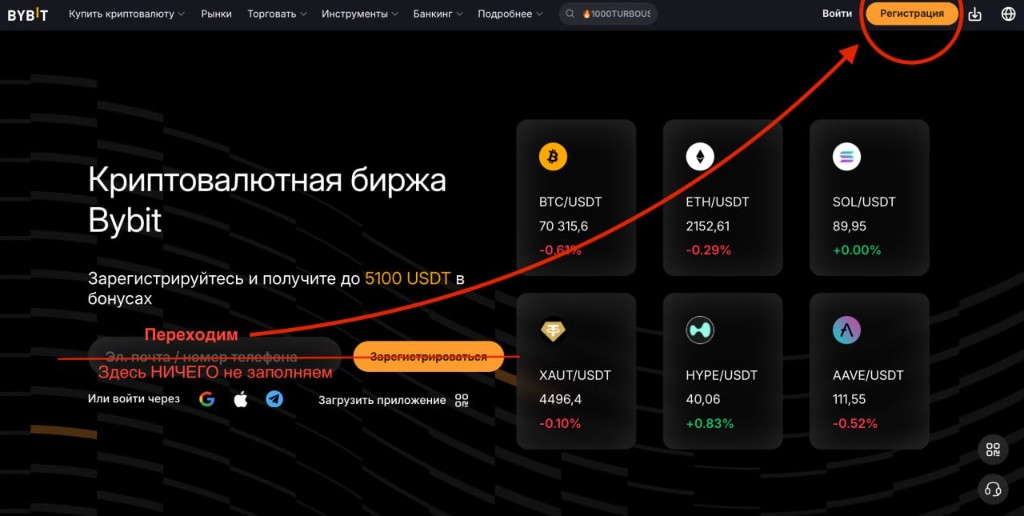
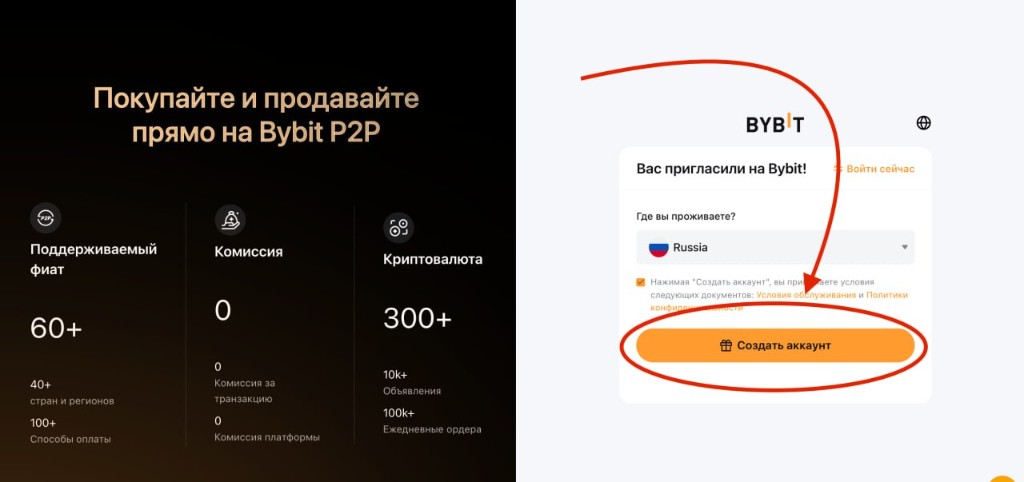
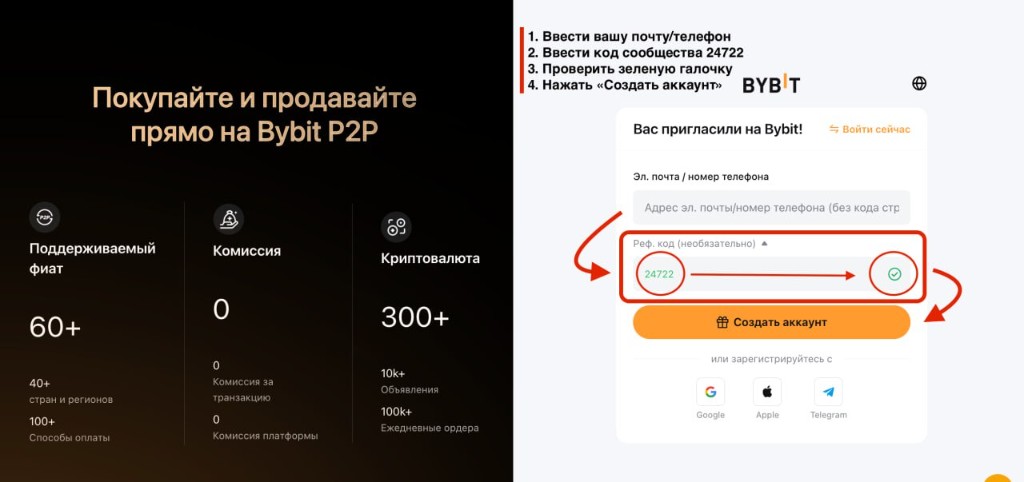
More details: How to add the partner code on Bybit