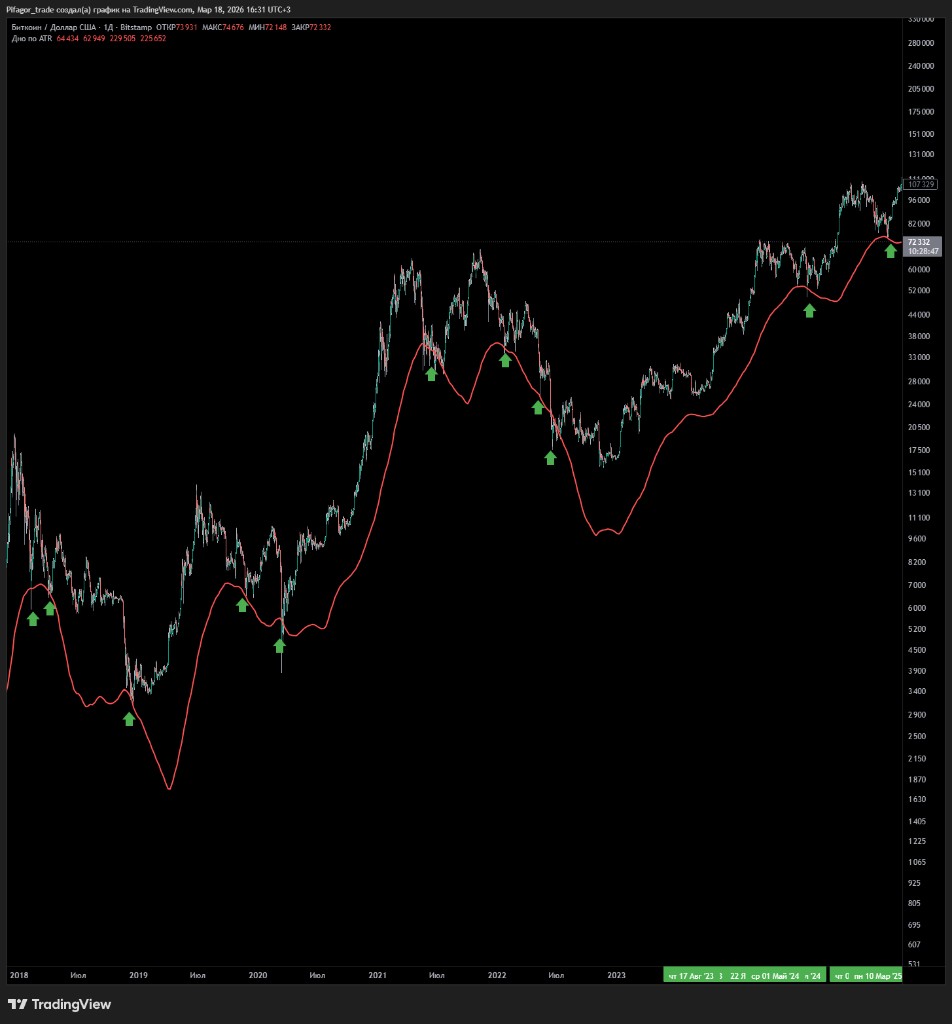
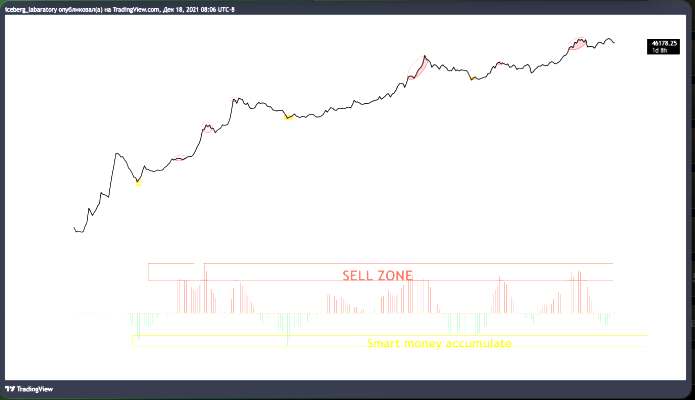
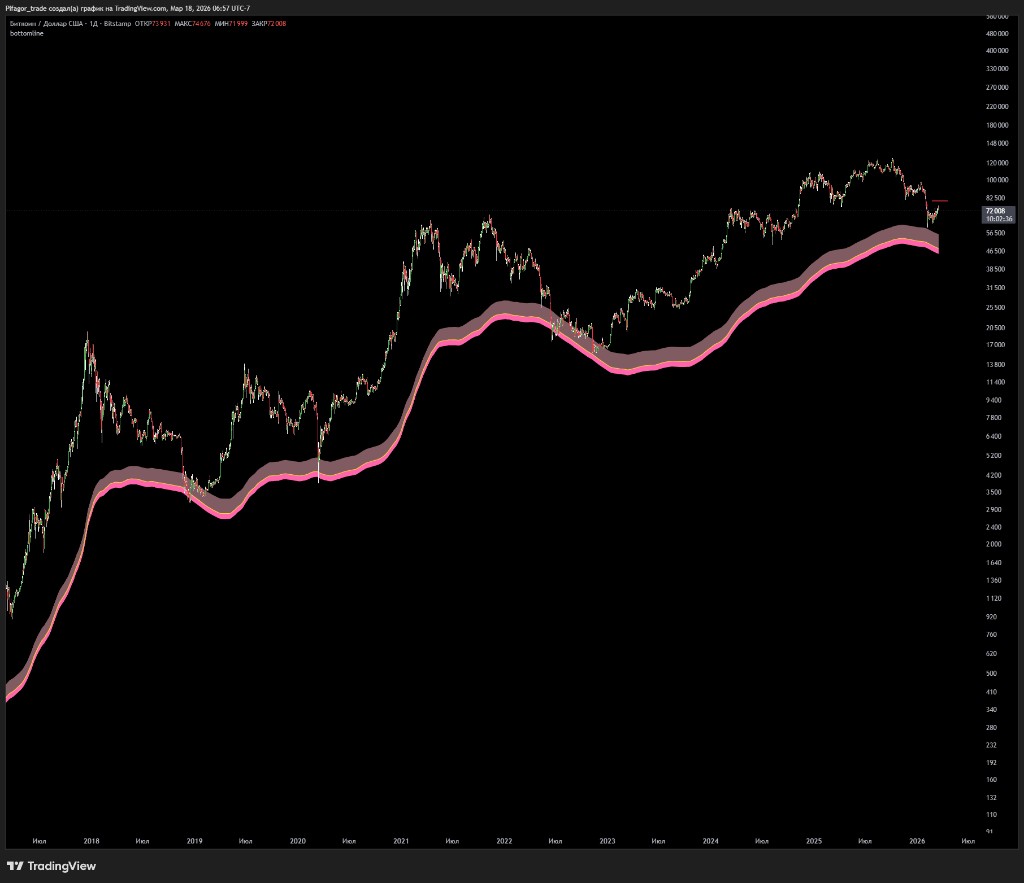
Cool-headed trades rely on data and statistics.
19 proprietary TradingView indicators, trading signals and analytics. Mathematical models spotted on the chart and locked into code. Free access with a Bybit UID.
Look for them in TradingView → “Invite-only scripts”. We unlock them within a day of your request. Missing or gone — submit the request again.
Overview · 1 video
A video overview of all the indicators
In one session we walk through how to use every tool, on which timeframes and which assets it works.
19 indicators · 4 categories
Indicators for referrals
Each one is a mathematical model or a price-behavior pattern spotted on the chart. No profit promises — just data. Click a card to watch the video guide.
FAQ · 5 questions
Frequently asked questions
Indicator closed / gone / red lock showing
You need to resubmit your details to unlock the indicators. The button is "Get all indicators".
Where do I find the indicators in TradingView?
The restricted-access indicators are in TradingView.
Web version
Open any chart. On the top toolbar, above the chart, there's an "Indicators" button. Then the "Invite-only" tab.
App
Open any chart. At the bottom of the chart, next to the pencil, there are options. Tap them and find the "Indicators" button, then "Invite-only".
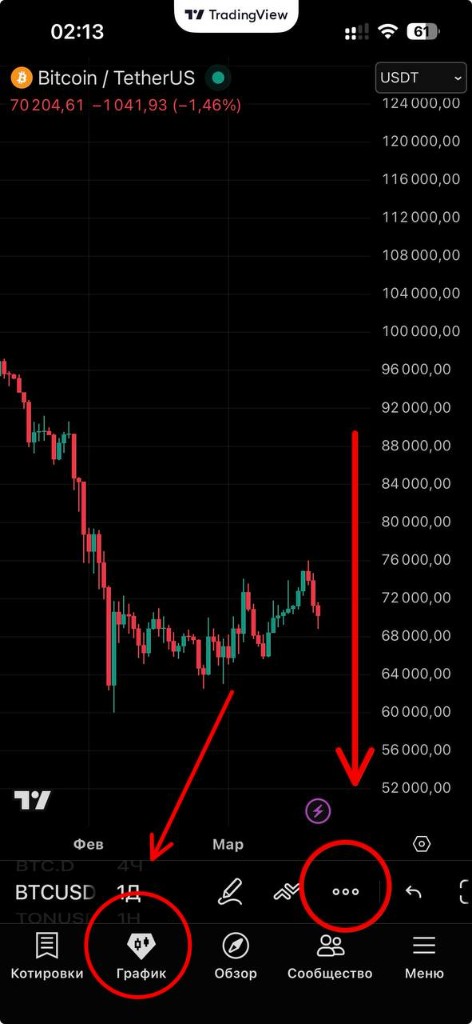
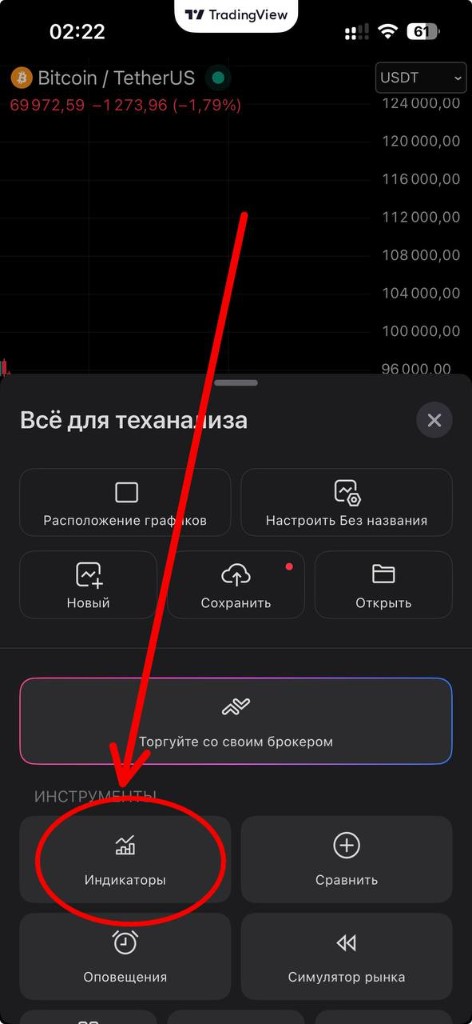
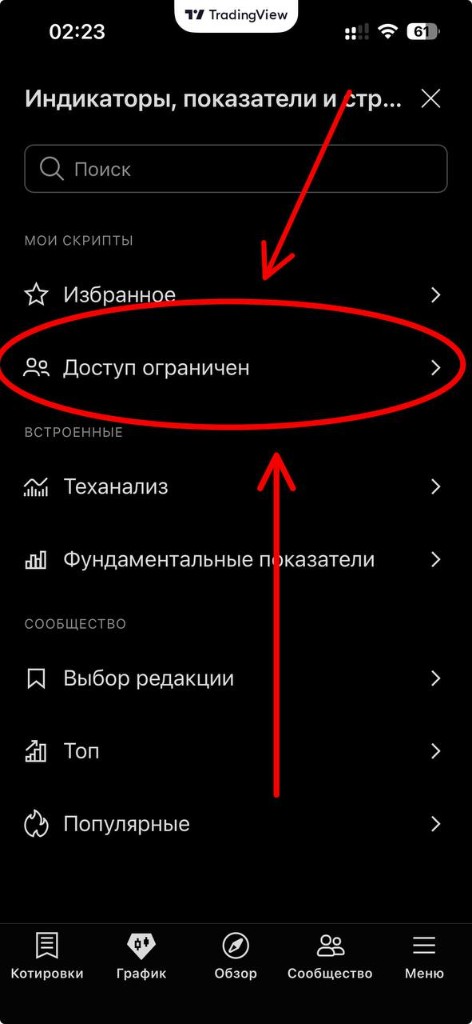
If there's no such tab, log out of your profile and log back in. If that doesn't help, clear your browser cookies.
The tab appears ONLY after the indicators are unlocked. We unlock indicators within a day.
My indicators haven't been unlocked
We normally unlock within a day, so if less than 24 hours have passed since you submitted, please wait. You may have been looking in the wrong place — see "Where do I find the indicators in TradingView?". If more than 24 hours have passed, go through the get-access process again (even if you've done it before).
Do I need to buy a TradingView subscription?
No. On the free plan only a couple of indicators fit on the chart at once, so a subscription is about convenience, not access. You'll get all the indicators either way.
How do I use the indicators?
Tap an indicator card above — a window with the description and a video guide will open.