
Support
The on-site AI assistant answers instantly. If it didn't help, message the administrator on Telegram.
Q&A
Couldn't transfer the account
Unfortunately, this happens if you've long been someone else's referral. But there's a way out of this situation too.
- Register a new account via the referral link: https://partner.bybit.com/b/24722
- Next, log into your old (verified) account, go to your profile, and tap Identity Transfer.
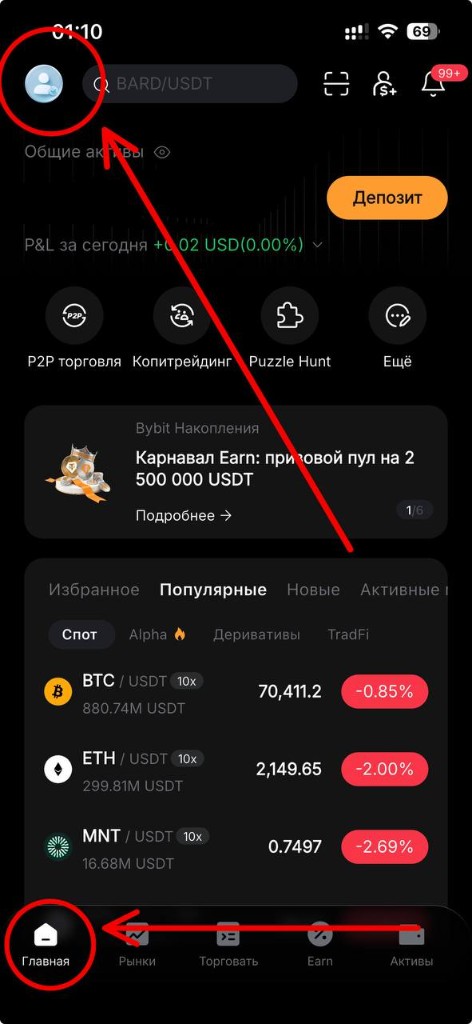
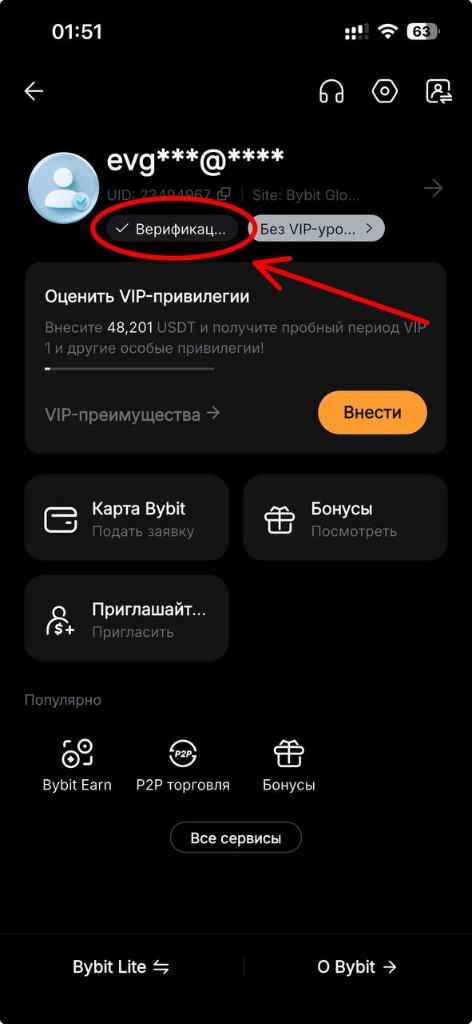
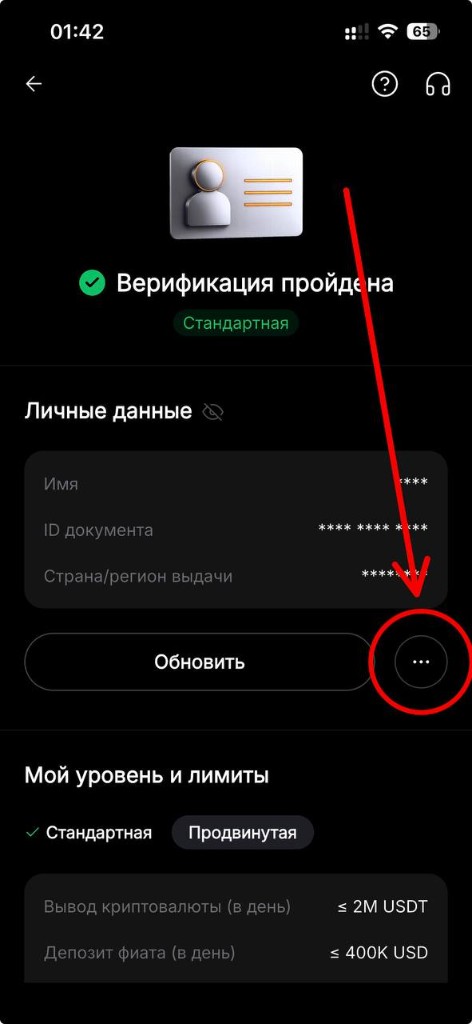
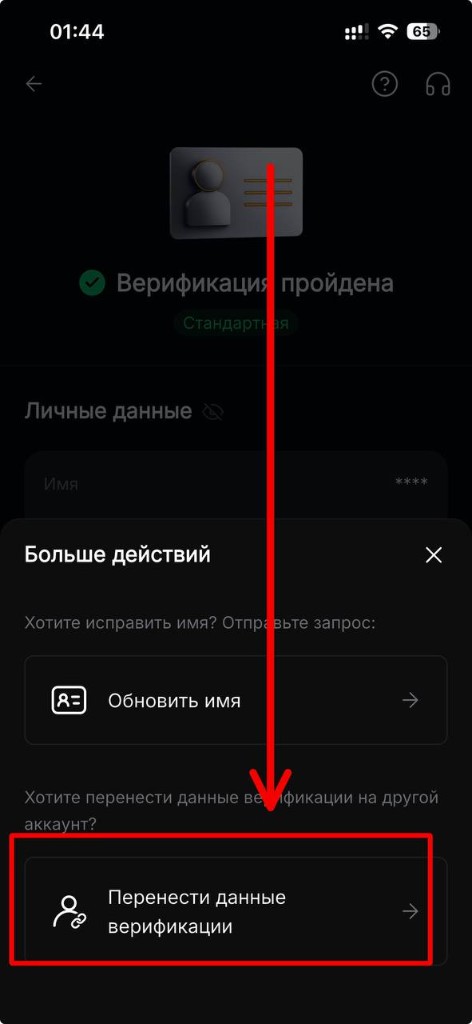
Before transferring verification, make sure your trades are closed and your funds are temporarily moved to another (equally secure) wallet, to avoid having to resolve any mishaps through support.
For full information on the possible nuances of transferring an account, read here.
What is a UID and where do I find it?
UID (User ID) is the unique numeric identifier of your Bybit account.
Web version
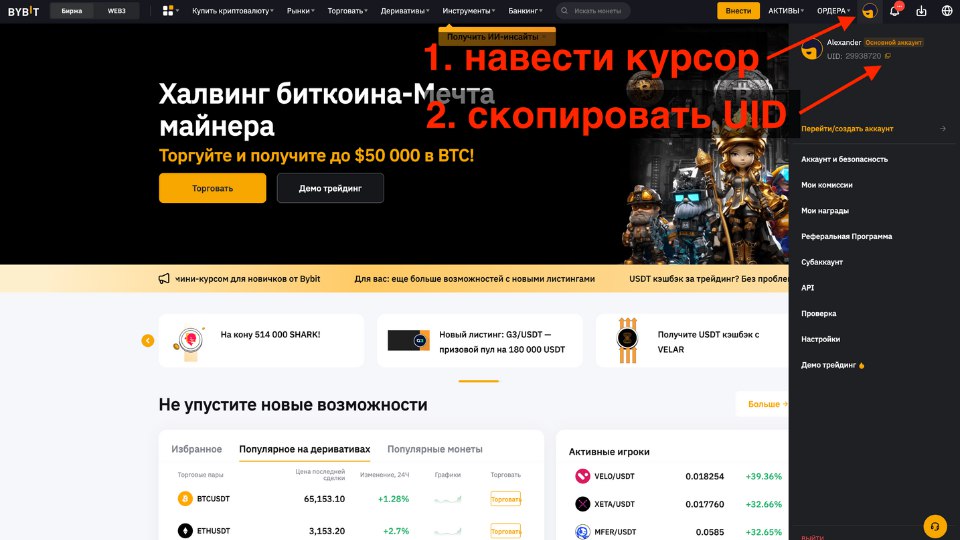
Hover over your avatar in the top-right corner → copy the UID from the dropdown menu.
Mobile app
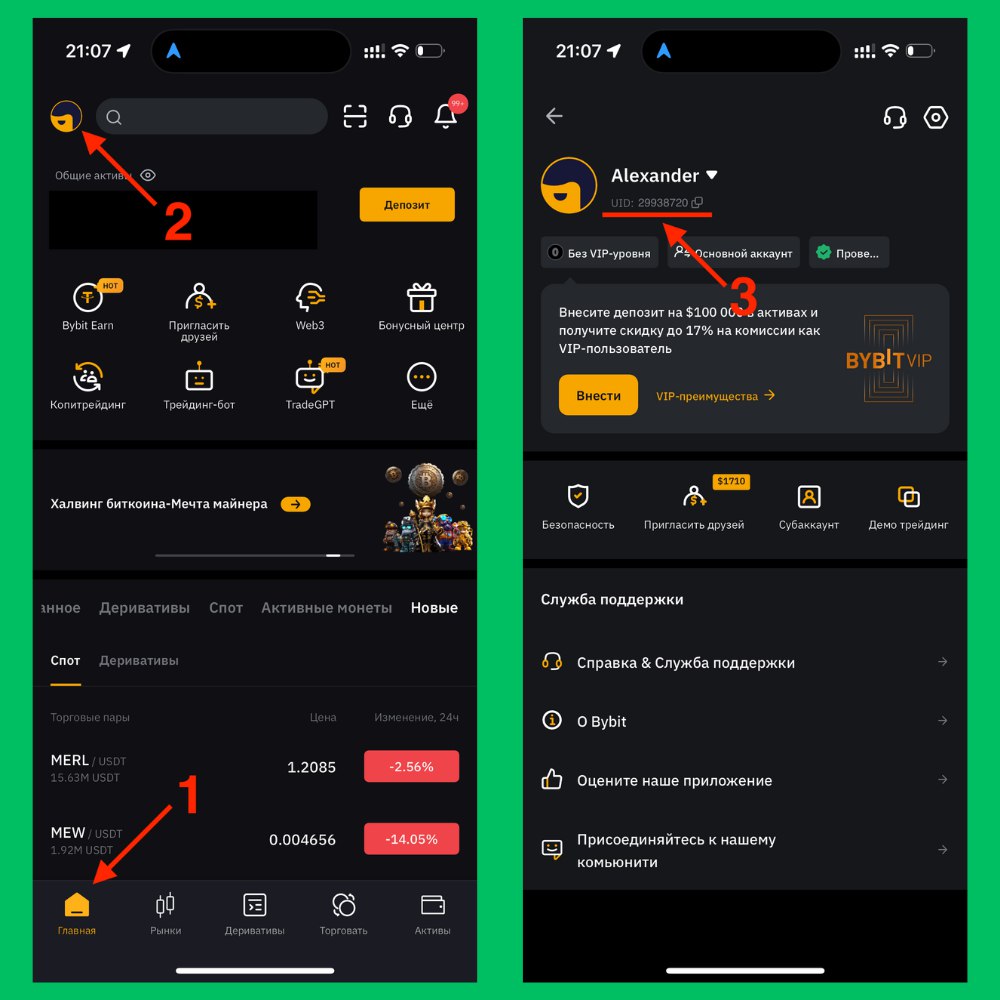
Home → profile icon in the top-left corner → UID below your name with a copy icon.
The bot doesn't see that I'm a referral
Our referral code 24722 may have been lost during registration.
Tap your avatar in Bybit and check whether your account shows information about joining us. If not, contact Bybit support.
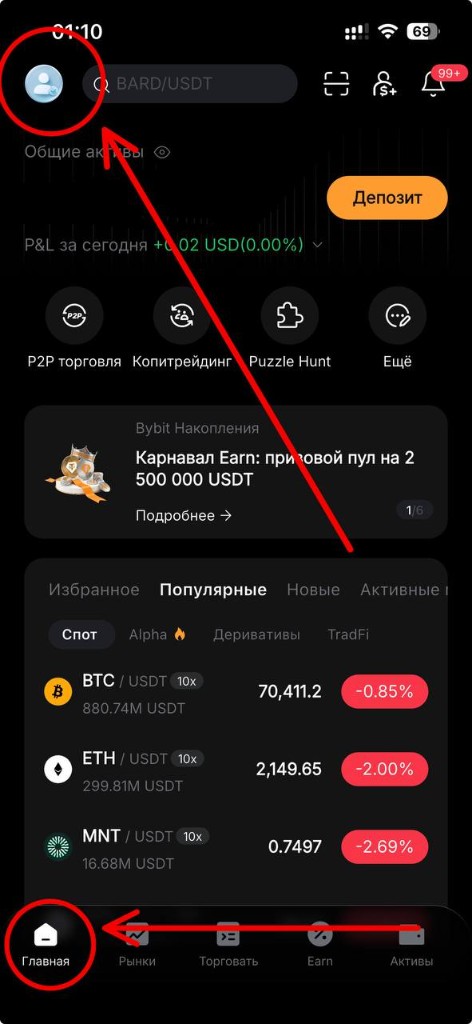
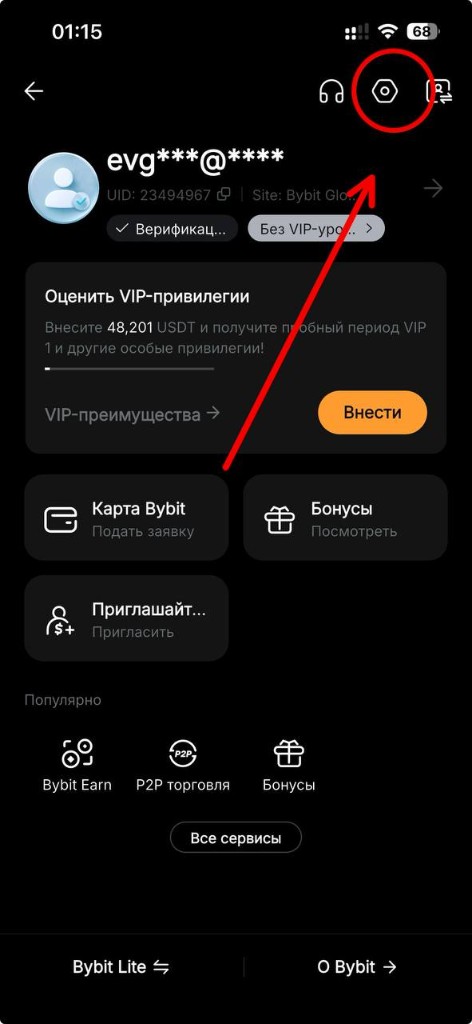
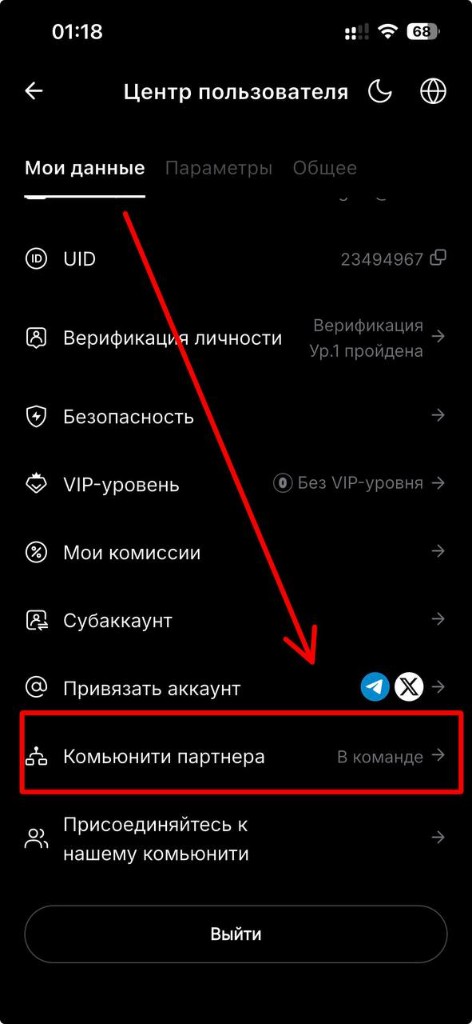
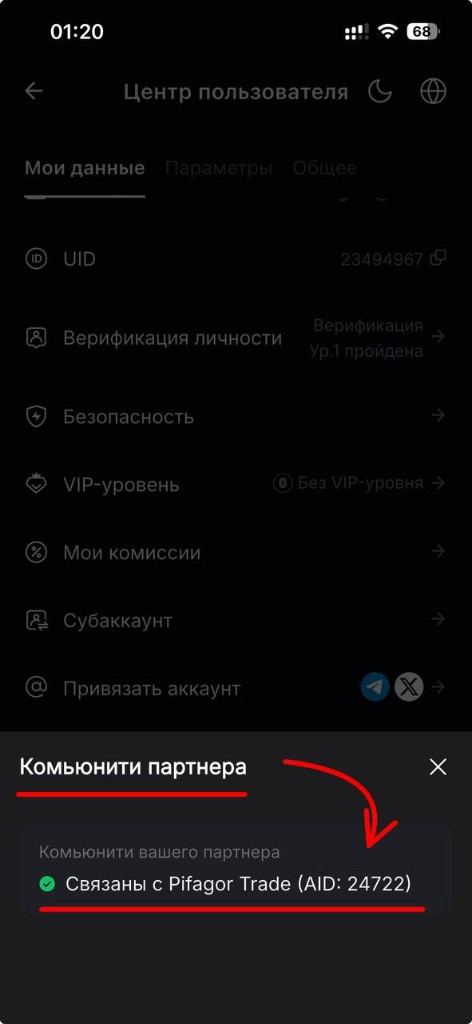
If you've only just become our referral, try sending the request through the bot a few hours later, after restarting the bot first.
Closed / Indicator disappeared / Red lock showing.
You need to resubmit your details to unlock the indicators. The button is "Get all indicators".
Where do I find the indicators in TradingView?
The restricted-access indicators are in TradingView.
Web version
Open any chart. On the top bar, above the chart, there's an Indicators button. Then the "Invite-only" tab.
App
Open any chart. Below the chart, next to the pencil, there are options. Tap them and find the Indicators button, then "Invite-only".
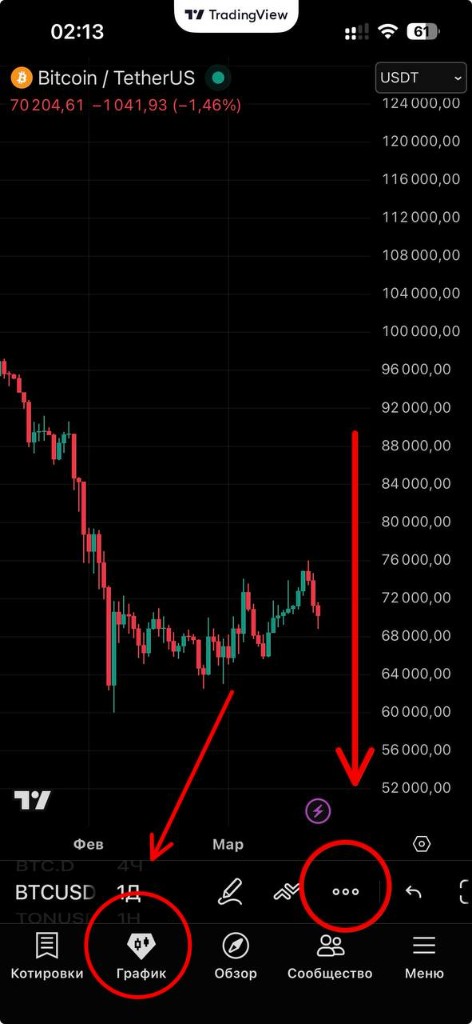
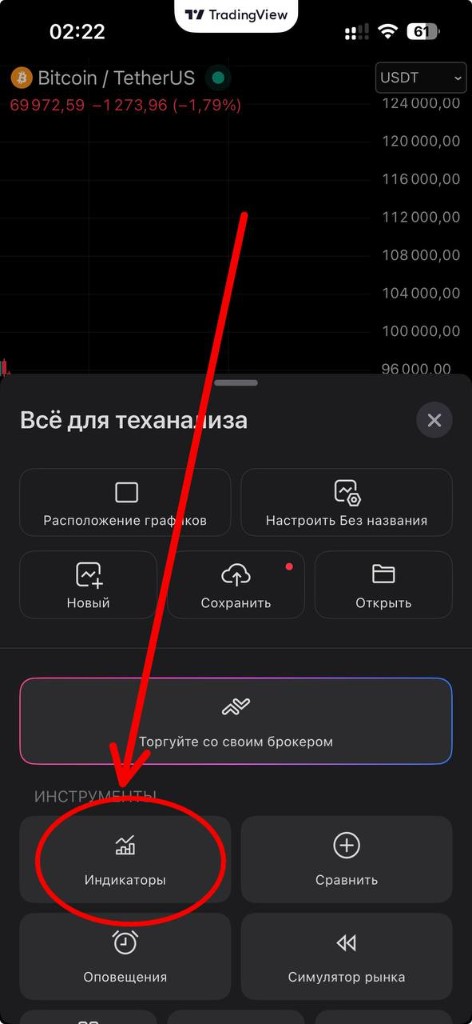
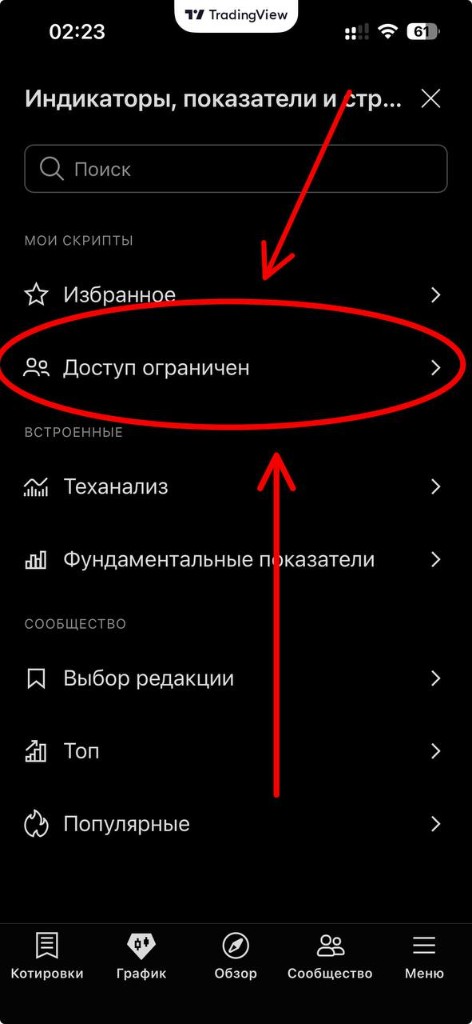
If there's no such tab, log out of your profile and log back in.
If that doesn't help, clear the cookies in your browser.
The tab appears ONLY after the indicators are unlocked.
We unlock the indicators within a day.
My indicators haven't been unlocked
We normally unlock within a day, so if less than 24 hours have passed since you submitted, please wait. It's also possible you were looking in the wrong place. See more under the button above: "Where do I find the indicators in TradingView?". If more than 24 hours have passed and the indicators still aren't there, you need to go through the indicator-unlock procedure again (even if you've already done so).
Do I need to buy a TradingView subscription?
No. On the free plan only a couple of indicators fit on a chart at once, so to view the readings of other indicators you'll need to remove the previous ones from the chart and swap them around. So a subscription is only about convenience. Your plan has no effect on which indicators you receive. Either way, you'll get access to all indicators.
How do I use the indicators?
If you tap an indicator's name on the indicators page, a window opens with all the information you need.
Didn't find the answer to your question? Message the administrator:
Message the administratorLink: t.me/pifagor_admin
